Day 3 - Basic Linux Commands - Part 2

Task: What is the Linux Command to:
To view what's written in a file:
We can use the "cat" command to view the contents of the file.
cat <path_of_file>

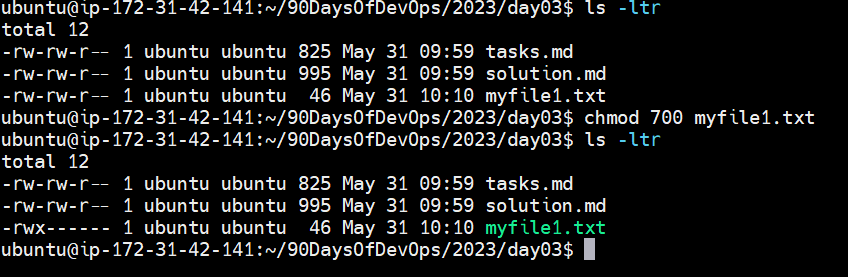
To change the access permissions of files:
The permission for any file or directory goes like this:-
drwxrwxrwx <username> <groupname> <filename>
d-> Directory.
The first set of rwx -> User permission.
The second set of rwx -> Group permission.
The third set of rwx -> Other permission.
chmod <permission that varies from 000 to 777> <filename>
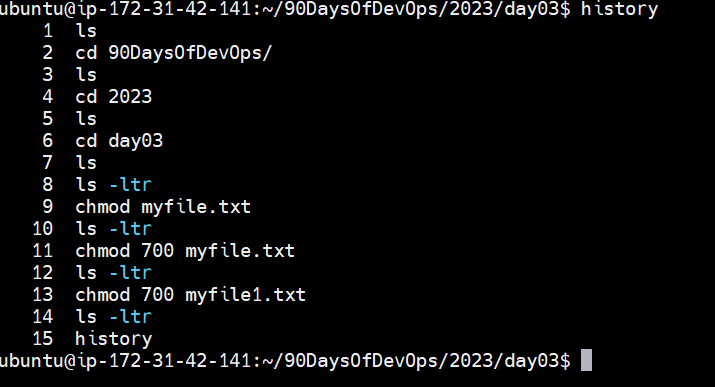
To check which commands you have run till now.
"history"
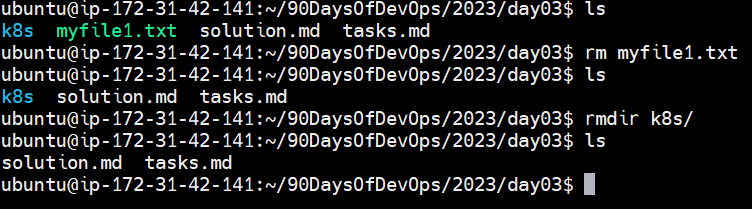
To remove a directory/ Folder.
rm <filename>
rmdir <foldername>
-r:- can be used to delete recursively in a folder.
-f:- Delete forcefully.
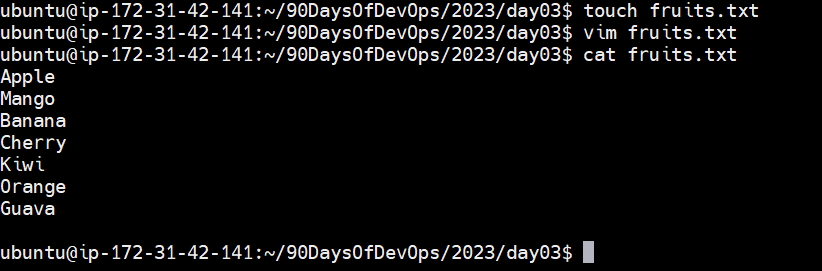
To create a fruits.txt file and to view the content.
touch fruits.txt
cat fruits.txt
Add content in fruits.txt (One in each line) - Apple, Mango, Banana, Cherry, Kiwi, Orange, Guava.
By using the vim editor we can add content in the file vim fruits.txt then add content and press Esc and save the file by entering :wq(write and quit that file)
To Show only top three fruits from the file.

To Show only bottom three fruits from the file.

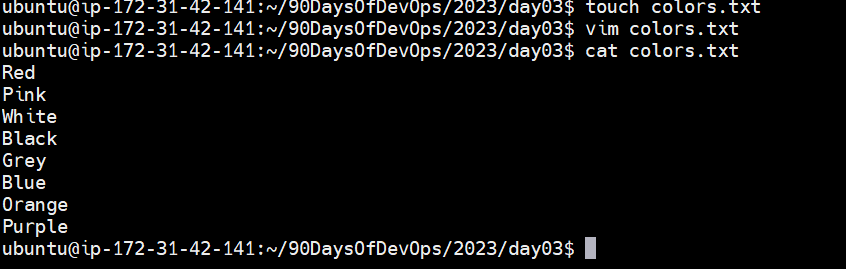
To create another file Colors.txt and to view the content.
touch Colors.txt
cat Colors.txt
Add content in Colors.txt (One in each line) - Red, Pink, White, Black, Blue, Orange, Purple, and Grey.
Using Vim <filename> to edit the file.
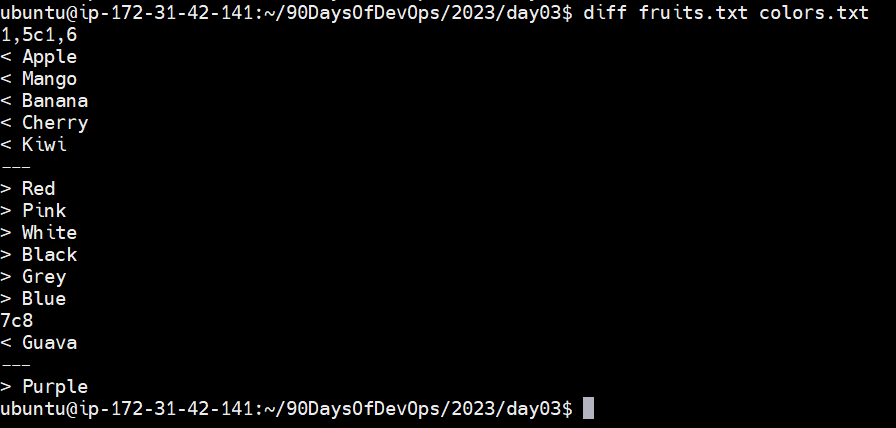
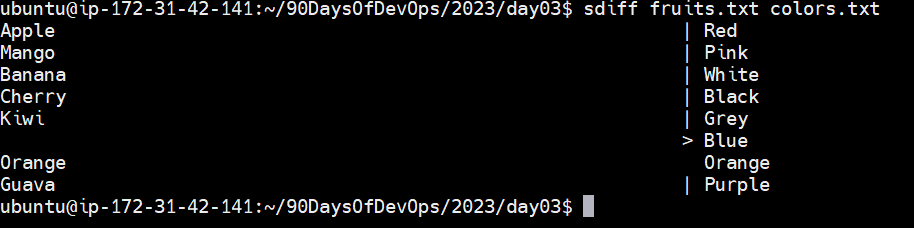
To find the difference between the fruits.txt and Colors.txt files.
diff <file1> <file2>
sdiff <file1> <file2>
-a: add
-c: change
-d: delete
Thank you for reading!!!
~Bhaarat


